

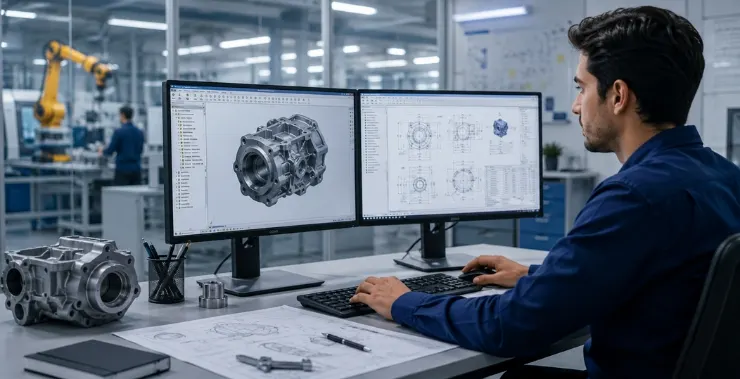
A product design engineer takes an idea – sometimes barely more than a problem statement – and works it through to something physical, tested, and ready to make. Not always in a straight line.
The job pulls in multiple directions. There’s detailed CAD work, yes. But there’s also materials knowledge, manufacturing constraints, simulation, documentation, and regular back-and-forth with people who don’t use the same software you do.
This article covers what the role actually involves, what tools come with it, and what the day-to-day looks like in practice.
Product Design Engineers – Sitting Between Ideas and the Factory Floor
People assume this job is mostly 3D modelling. That’s a fraction of it.
A design engineer needs to know why a geometry choice matters for a turned part versus a moulded one. They need to understand why a tolerance that works on paper might cause assembly issues at volume. They need to catch problems before a prototype is cut – because physical prototypes cost money and time that software iterations don’t.
The role combines:
- Translating requirements into something manufacturable
- Running stress and motion simulations before anything gets built
- Coordinating with manufacturing, quality, procurement, and sometimes customers
- Maintaining design documentation that someone else can pick up six months later
It’s technical, but it’s also a communication job. The engineers who move fast are usually the ones who can explain a design decision clearly to someone who didn’t make it.
Core Responsibilities in a Product Design Engineering Role
Concept Development and Requirements Gathering
Nothing good gets designed without first understanding what it actually needs to do – and what it can’t do.
This stage involves going through customer briefs, internal requirements documents, or product specs to pull out the functional and physical constraints. Design engineers also look at what’s already out there – not to copy it, but to understand where existing products fail and what a new design should do differently.
DFM conversations happen early here too. There’s no point designing something beautiful that a factory can’t make at a sensible cost.
3D Modelling, Detailing, and Drawing Releases
Once requirements are locked, detailed work begins. For most teams, this means parametric 3D modelling in software like PTC Creo.
What gets produced at this stage:
- Part and assembly models with correct constraints and degrees of freedom
- 2D engineering drawings with GD&T callouts and surface finish requirements
- Bill of materials (BOM) tied to the PLM system so revisions track properly
Drawing releases aren’t just filing – they’re formal handoffs. A released drawing tells manufacturing, quality, and procurement what to work from. Getting the detail right matters.
Simulation, Testing and Validation
A design that passes visual review still needs to prove it works under load, heat, or repeated motion. This is where CAE tools come in.
Common analyses:
- FEA (Finite Element Analysis) – Checking where stress concentrations form, whether a part will yield or fracture under load
- CFD – Used when thermal management or airflow through a product matters
- Multi-body dynamics – For assemblies with moving parts, checking clearances and contact forces through a full motion cycle
Tools like Hexagon MSC Nastran and Adams are used for this kind of work in industries ranging from automotive to aerospace to industrial machinery. A simulation run that flags a weak point early saves a physical test that might have damaged a prototype – or worse, a shipped product.
DFM Reviews and Cross-Team Collaboration
Design for manufacturability reviews are regular occurrences. A design engineer brings a model, and manufacturing engineers go through it looking for features that will cause problems – undercuts on moulded parts, tight tolerances on features that are hard to inspect, thread depths that don’t match standard tooling.
Changes come out of these sessions. Models get updated, drawings get revised, and sometimes the whole approach to a feature changes. That’s not failure – that’s the review doing its job.
Tools a Product Design Engineer Works With
The stack varies by company and industry, but most design engineering roles involve some combination of:
- CAD – PTC Creo, SolidWorks, CATIA, or NX for parametric 3D modelling
- CAE/Simulation – Hexagon MSC software covering FEA, CFD, and multi-body dynamics
- PLM – PTC Windchill for revision control, BOM management, and change workflows
- Rendering – KeyShot for product visuals used in design reviews or customer presentations
- Calculation tools – Mathcad or structured Excel sheets for tolerance stackups and engineering calculations
- PDM – For file management and controlled release of drawings and models
None of these tools works in isolation. The value comes from integration – a CAD model that feeds the simulation tool, which feeds the PLM system with validated design data, which feeds the drawing release. When that chain works cleanly, engineering teams move faster and make fewer handoff errors.
What a Working Day Actually Looks Like
The split between deep work and meetings shifts depending on where a project is. Early-phase development is heavy on modelling. Later stages, once a design exists, involve more reviews and iterations from test feedback.
A fairly typical day might run:
Morning
- Work through any design change requests raised during the previous day’s review
- Check simulation results from overnight runs – look at stress peaks, check whether a revised geometry fixed the problem
- Short team check-in to flag blockers and confirm priorities
Middle of the day
- Focused modelling or detailing work – updating an assembly, reworking a feature, completing a drawing
- A supplier or manufacturing call to discuss a specific component or process question
- Updating a BOM or closing out a change request with the correct revision
Afternoon
- Preparing models or renders for an upcoming design review
- Responding to quality or procurement questions about a released drawing
- Documentation – writing design rationale, updating specification sheets
There’s no fixed template. A critical failure in a test can flip an entire week toward root cause analysis and redesign. That’s just how product development works.
What Separates Strong Design Engineers from Average Ones
Technical skills get someone through the door. These are what tend to separate the good ones:
- Tolerance analysis – Understanding how individual part variations stack up across an assembly, and whether the worst-case scenario still assembles correctly
- Materials instinct – Knowing when to switch from steel to aluminium, or from aluminium to a filled polymer, and what that change means for process, cost, and performance
- Manufacturing awareness – An eye for features that will cause problems on the shop floor, built through experience and DFM sessions
- Documentation discipline – Writing design notes that are clear enough for someone else to follow without needing to ask questions
- Simulation literacy – Not just running finite element analysis, but reading results critically and knowing when a mesh is too coarse to trust
None of these is a software skill. They’re judgment calls, and they develop over time.
The Software Stack Is Only as Good as How It’s Used
Companies often invest in CAD and simulation tools without fully connecting them. Design data lives in email chains instead of PLM. Simulation runs happen in silos. Drawings get revised without proper change control.
When the tools are set up properly – CAD integrated with PLM, simulation results linked to the design record, change workflows that actually track what changed and why – engineering teams spend less time on admin and more time on actual design work.
At CreoTek India, we help engineering teams across India implement and get more out of tools like PTC Creo, Windchill, and Hexagon MSC. If your team is running any of these tools without a fully connected workflow, reach out to us – there’s usually room to improve how much you’re getting from the software you already have.
FAQs
What qualifications does a product design engineer need?
Most roles require a bachelor’s degree in mechanical engineering, product design, or a related field. Practical experience with CAD software and a portfolio of project work carry significant weight in hiring decisions, sometimes more than the degree subject.
Is product design engineering the same as industrial design?
Not quite. Industrial designers focus more on aesthetics, user experience, and form. Product design engineers handle the technical side – structural integrity, materials, tolerances, and manufacturability. In practice, the two roles collaborate closely, especially during concept development.
Which CAD software is most commonly used?
PTC Creo, SolidWorks, CATIA, and Siemens NX are the most widely used in product and mechanical engineering. The choice often depends on the industry – Creo and CATIA are common in aerospace and automotive and SolidWorks is widespread in smaller manufacturing companies.
How important is simulation experience?
It’s increasingly important. Companies want engineers who can run basic FEA and interpret results, not just model parts. Familiarity with tools like MSC Nastran or even built-in simulation modules within CAD platforms is becoming a standard expectation at the mid-career level.
What is DFM and why does it matter?
DFM stands for Design for Manufacturability. It’s the practice of designing parts with the production process in mind – avoiding features that are expensive or difficult to make. Skipping DFM reviews is one of the most common reasons prototypes look fine but become costly problems at production scale.
Can a product design engineer work across different industries?
Yes. The core skills – CAD, simulation, tolerance analysis, drawing production – transfer across sectors. An engineer who has worked on consumer goods can move into medical devices or industrial equipment with some domain knowledge to catch up on. The fundamentals travel.