

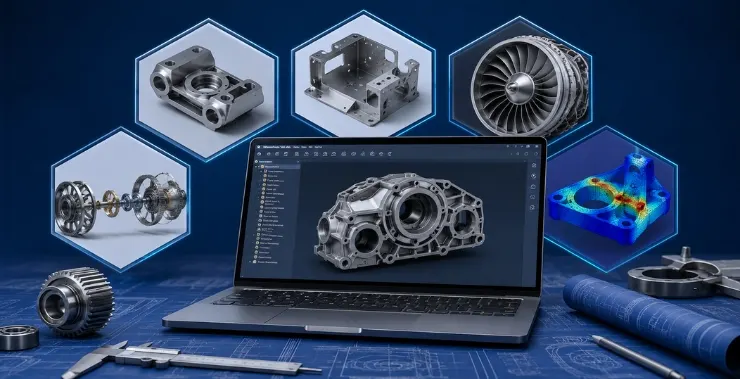
Picking the right 3D CAD software is one of those decisions that follows you for years. The wrong choice means retraining costs, file compatibility headaches, and workflows that fight you at every step. The right one disappears into the background – you stop thinking about the tool and start thinking about the design.
If you’re a mechanical engineer evaluating options in 2026, here’s a clear-eyed look at five platforms that are genuinely worth your time.
1. PTC Creo – Best for Complex Mechanical Assemblies
Creo is the 3D CAD software of choice for mechanical engineers designing sophisticated, multi-component products. It started as Pro/ENGINEER back in the 1980s, and the underlying parametric modeling engine has only gotten stronger since.
What sets Creo apart today is Creo Simulation Live – real-time FEA powered by ANSYS that runs as you model, not after. You move a rib, change a wall thickness, and the stress map updates on the fly. For structural and thermal problems, this cuts iteration time down considerably.
Creo Plus (the subscription version) also brings generative design and multi-body design into the same environment. There’s no jumping between tools.
Where Creo makes the most sense: aerospace, automotive, industrial machinery, defense – anywhere tolerances are tight and assembly complexity is high. It handles large assemblies without the sluggishness you see in some competing platforms.
Licensing: Commercial subscription via authorized resellers. In India, CreoTek Systems India LLP is a PTC Master Channel Partner serving clients across Delhi NCR and beyond.
2. SOLIDWORKS – Best for Product Design Teams
SOLIDWORKS has one of the most recognized names in 3D CAD software for mechanical engineers, and for good reason. The modeling environment is genuinely intuitive. New engineers can get productive in weeks rather than months, which matters a lot for teams that can’t afford long onboarding curves.
The feature tree in SOLIDWORKS is well-organized and predictable. Sheet metal tools, weldment tools, and surfacing all live in the same environment without feeling bolted on. SOLIDWORKS PDM handles version control reasonably well for mid-size teams.
The 2026 version has improved its cloud collaboration story through 3DEXPERIENCE, though teams still debate whether the cloud workflow is mature enough for large programs.
One honest caveat: SOLIDWORKS can struggle with very large assemblies – hundreds of unique components with complex mates. At that scale, Creo or Siemens NX tends to handle memory better.
Best for: Consumer products, industrial equipment, small-to-mid-size mechanical teams, startups.
3. Siemens NX – Best for Manufacturing Integration
If you’re working somewhere where the CAD model needs to feed directly into CNC machining or mold tooling, Siemens NX deserves a serious look. The CAM module inside NX is one of the strongest in the industry – the distance between design and machined part is genuinely short.
NX uses the Parasolid kernel, which is also what SOLIDWORKS uses. But NX’s synchronous technology lets you edit geometry without a feature history, which is useful when working with imported models from suppliers who use different CAD platforms. You’re not rebuilding their model from scratch to make a change.
The tradeoff is the learning curve. NX is not easy to pick up. The interface has improved over recent releases but still requires dedicated training. Licensing is also expensive – it’s mostly found in large OEM environments.
Best for: Automotive OEMs, aerospace manufacturers, precision machining environments.
4. Autodesk Inventor – Best for Mid-Market Manufacturing
Inventor sits in an interesting position. It’s more capable than Fusion 360 for traditional mechanical design, less expensive and more accessible than NX. For manufacturers running an Autodesk ecosystem – AutoCAD, Vault, maybe some simulation through Nastran in-CAD- Inventor fits naturally.
The parametric environment is solid. Inventor’s stress analysis module handles basic FEA without requiring a separate tool. Frame Generator and Tube & Pipe add-ons handle common mechanical configurations without custom work.
Inventor’s main weakness in 2026 is uncertainty. Autodesk has been pushing harder toward Fusion 360 for new users, and the long-term roadmap for Inventor as a standalone product is less clear than it was five years ago. Companies already invested in Inventor don’t need to panic, but it’s worth keeping an eye on.
Best for: General mechanical manufacturing, companies already using Autodesk tools, mid-market industrial equipment.
5. Fusion 360 – Best for Smaller Teams and Startups
Fusion 360 is cloud-native 3D CAD software for mechanical engineers who want design, simulation, CAM, and electronics in one subscription at a price that doesn’t require a procurement process.
For a solo engineer, a small design consultancy, or a hardware startup, the value is hard to argue with. The modeling tools cover most product design scenarios. The integrated CAM is good enough to drive CNC machines and 3D printers directly. Version history and collaboration work because they were built into the platform from the start, not added later.
The limits show up at scale. Fusion 360’s assembly performance with large part counts still lags behind desktop-native platforms. Offline access has improved but isn’t fully reliable. And for industries with strict data governance – defense, some medical devices – cloud-native storage creates compliance questions.
Best for: Startups, freelance engineers, product designers, small mechanical teams, early-stage prototyping.
How to Choose
No single tool wins across the board. A few questions narrow it down fast:
What’s the assembly complexity?
For large, highly constrained assemblies – thousands of parts, tight tolerances – Creo or Siemens NX. For typical product design, SOLIDWORKS or Inventor.
Does manufacturing happen in-house?
If the CAD model feeds directly to machining, NX’s integrated CAM is hard to beat.
What’s the team size and budget?
Solo or small team? Fusion 360 is worth a serious look. Established engineering org? SOLIDWORKS or Creo offer better long-term support infrastructure.
Which industries do you serve?
Automotive and aerospace tend to run Creo or NX. Consumer goods and industrial equipment tend to favor SOLIDWORKS or Inventor.
Final Word
The 3D CAD software landscape for mechanical engineers in 2026 is more mature than fragmented. These five platforms cover most real-world use cases, and all of them are genuinely capable tools. The decision comes down to your specific workflow, team size, industry, and what you’re willing to invest in training.
PTC Creo in India If you’re looking for the best choice for complex mechanical design, PTC Creo is still it, and CreoTek Systems India LLP offers hands-on demos, training and support. They are a PTC Master Channel Partner based in Noida with customers in industries like aerospace, automotive, industrial manufacturing, etc. Get in touch with them at https://creotekindia.com/contact-us/ or +91-9654-163-163.