

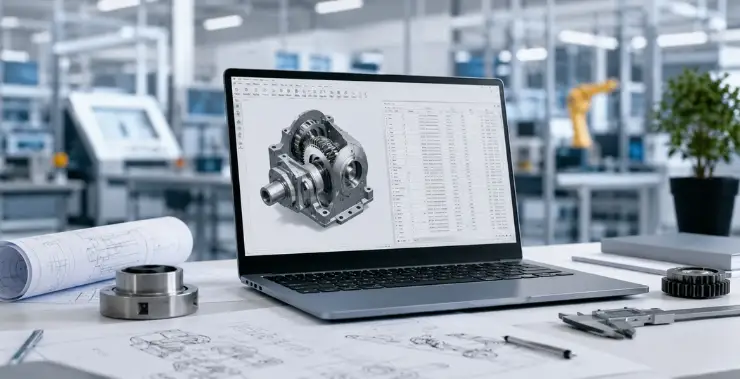
Engineering BOM management is one of those things that sounds simple until your production team is building to a two-week-old design, wrong parts are showing up on the floor, and nobody can agree on which version of the spreadsheet is current.
That situation is more common than most manufacturers would like to admit.
A bill of materials is not just a parts list. It is the document that connects your design intent to everything that happens downstream – procurement, manufacturing, costing, and service. When it is managed well, the entire product development cycle runs faster and cleaner. When it is not, the damage shows up as delays, rework, and cost overruns that are hard to trace back to their source.
This guide covers what engineering BOM management actually involves, where teams typically run into trouble, and what a well-run process looks like in practice.
Engineering BOM Management: The Basics Worth Getting Clear
An engineering bill of materials (eBOM) is a structured list of every component, sub-assembly, raw material, and part that goes into a finished product – as defined by the engineering team.
It is not the same as a manufacturing BOM (mBOM). The eBOM reflects the design view. The mBOM reflects how the product is actually built on the production floor. Both need to exist, and they need to stay connected.
A well-built eBOM typically includes:
- Part numbers and descriptions
- Quantities and units of measure
- Component relationships – what assembles into what
- Material and specification data
- Revision and version information
- Associated drawings and reference documents
The challenge is not putting this list together. Any engineer can do that. The challenge is keeping it accurate, current, and accessible to every team that depends on it – across the full product lifecycle.
Why BOM Errors Cost More Than You Think
When a BOM is wrong, everything built on top of it is wrong too.
Purchasing orders the wrong parts. Manufacturing builds to the wrong revision. Finance costs the job against the wrong materials. Each error creates a ripple, and the further downstream it goes before anyone catches it, the more expensive it gets to fix.
The most common causes of BOM errors:
- No version control – Multiple versions circulating in emails or shared drives, with no clear master
- Disconnected teams – Engineering updates a component but does not notify procurement; production works from a stale copy
- Spreadsheet limitations – No revision history, no access controls, nothing to flag when data is out of sync
- Manual handoffs – Someone exports from CAD, cleans it up by hand, and pastes it somewhere else. Errors enter at every step.
- No formal change process – Design updates happen informally, without review or sign-off before reaching the floor
The result is what some engineers call “BOM drift” – the gap between what is designed and what is actually being built keeps widening, often without anyone realising it until something breaks in production.
eBOM vs mBOM: A Distinction That Matters
This is a gap that causes real problems in growing engineering departments.
The eBOM is owned by engineering. It is structured the way the product is designed – parts grouped by assembly, reflecting the CAD model.
The mBOM is owned by manufacturing. It is structured around how the product is built – which operations happen in what sequence, what tooling is involved, how components are staged on the line.
They are related but not the same document. Keeping them aligned manually is slow and error-prone. A PLM system like Windchill maintains the link between the two so that design changes flow through to manufacturing in a controlled, traceable way – without someone re-entering data by hand.
Getting the eBOM-to-mBOM handoff right is one of the highest-leverage things an engineering team can do for production efficiency. When it works well, manufacturing gets clean, complete data at the right time. When it does not, the gaps show up as production stoppages and last-minute scrambles.
The BOM Lifecycle: From First Draft to Production Floor
A BOM does not stay static. It moves through several stages, and complexity increases at each one.
- Concept BOM – Early stage, often incomplete. Used for rough costing and feasibility checks before the design is locked.
- Engineering BOM (eBOM) – Built out as the design matures. Should live in a PDM or PLM system from this point, not a spreadsheet.
- Manufacturing BOM (mBOM) – Derived from the eBOM once the design is released. Reflects production sequences, work centres, and operational requirements.
- Service BOM (sBOM) – Used by the aftermarket and service team. Contains field-replaceable units and spare part data.
Each derivative BOM should trace back to the eBOM as the master reference. When the design changes – and it always does – those changes should move through a controlled engineering change order (ECO) process, not through informal messages or email threads.
Where Most Engineering Teams Go Wrong
Relying on spreadsheets too long: Excel works for a 20-part assembly. For anything more complex, it becomes a liability. There is no version control, no audit trail, and nothing stops someone from saving a local copy that is immediately out of date.
Treating the BOM as engineering-only: The BOM affects procurement, production planning, quality, and finance. When those teams cannot access current data – or do not trust what they can see – they work around it. That workaround usually means re-entering data somewhere manually, which is exactly where errors compound.
No formal release process: Some teams allow BOM updates without any review or approval step. One uncommitted change can result in parts being ordered or production being set up against a design that is about to change again.
Ignoring revision management: Every significant BOM change should carry a revision identifier. Without that, there is no reliable record of what version was active when a specific batch was built – which becomes a serious problem for warranty claims or regulatory audits.
Skipping eBOM-to-mBOM alignment: Engineering finishes the design and passes the BOM to manufacturing. Manufacturing tries to interpret it. Missing reference designators, unclear quantities, no manufacturing notes – these gaps cause delays at exactly the worst moment.
What Good BOM Management Actually Looks Like
A single source of truth: Every team works from the same BOM in the same system. No emailed files, no local copies. Changes happen in one place and are visible to everyone who needs them.
Structured revision control: Every BOM update is logged – who changed it, what changed, and why. Earlier revisions are archived and retrievable. This is not optional in any serious product development environment, and it becomes non-negotiable in regulated industries.
Defined change management: Any modification to a released BOM goes through a formal review and approval cycle. This keeps uncontrolled changes from reaching production without proper sign-off. ISO 10007 provides a recognised framework for configuration management that many manufacturers use as a baseline for their ECO process.
Integration between CAD and BOM data: When your CAD tool like Creo is connected to your PLM environment, the BOM updates as the design does. Manual exports and re-entries – along with the errors they introduce – drop out of the process.
Cross-functional visibility: Procurement, production planning, and quality teams can see current BOM data without chasing engineering for it. The BOM stops being a bottleneck.
Choosing the Right Tool for Your Team
The right choice depends on the complexity of your products and the scale of your operations.
For smaller teams with simpler assemblies, a PDM system may cover what you need. For companies with complex multi-level structures, frequent design changes, or compliance requirements, a full PLM platform handles BOM management, change control, and traceability in one place.
PTC Windchill, for instance, uses a part-centric approach – each part is maintained as a single record referenced across multiple BOMs rather than duplicated in each assembly. That approach reduces data inconsistency and makes change management significantly cleaner. If you want to understand how Windchill fits into a broader engineering software setup, the CreoTek design engineering consultancy team works with manufacturers across India to assess and implement the right stack.
Questions worth asking when evaluating any BOM management tool:
- Does it support multi-level BOM structures?
- Does it maintain a full audit trail for every change?
- Does it integrate with your CAD environment without manual exports?
- Can it manage the eBOM-to-mBOM transition in a controlled way?
- Does it support formal engineering change workflows?
Getting Started Without Overhauling Everything at Once
If your team is still managing BOMs in spreadsheets, the move to a structured system does not need to be a big-bang change.
Start by mapping your current process. Where does the BOM live right now? Who updates it? How do changes get communicated to procurement and production? That audit usually surfaces the gaps quickly.
From there, the shift to better BOM management is less about the software and more about agreeing on process first. Clear ownership, a defined change workflow, and consistent revision practices will get you most of the way there – the right tool then makes those practices easier to follow and harder to skip.
Wrapping Up
Engineering BOM management rarely gets the attention it deserves until something goes wrong. The teams that handle it well tend to share a few habits: one master BOM, formal change control, connected engineering and manufacturing data, and no spreadsheets acting as the system of record.
If your current approach is not keeping pace with the complexity of your products, it is worth looking at what a purpose-built PLM environment can do for your process. The reduction in downstream errors and the time saved chasing correct data tend to justify the investment fairly quickly.
For teams in India working with PTC tools, CreoTek’s Windchill offering is worth a closer look – both for BOM management and for the broader product lifecycle capabilities it brings.
CreoTek Systems India LLP is an authorised PTC channel partner based in Noida, offering Windchill, Creo, and related engineering software solutions to manufacturing and design teams across India.