

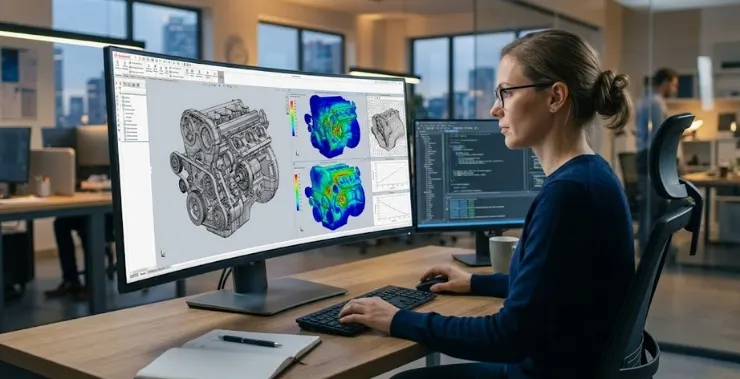
Software for mechanical engineers has reshaped how products move from an idea on paper to a validated, production-ready design.
Not long ago, engineering teams had no choice but to build physical prototypes at every stage. Catching a design flaw late in the process meant scrapping work, reordering materials, and losing weeks. The margin for error was narrow, and the cost of mistakes was high.
Virtual prototyping changed that equation. Engineers can now put a design through its paces digitally – testing real-world conditions without touching a single raw material. The result is faster development, fewer surprises, and a lot less waste.
What Is Virtual Prototyping and Why Does It Matter?
Virtual prototyping is the process of making and testing a digital model of a product before making a real one.
Instead of spending money on multiple physical builds, engineering teams use 3D modelling and simulation software to run tests that would normally need real hardware. Some of what that includes:
- Checking how a part holds up under mechanical load or temperature changes
- Simulating fluid flow and heat dissipation
- Identifying clashes in complex assemblies
- Confirming structural performance before finalizing geometry
This is now standard practice across automotive, aerospace, industrial equipment, and consumer manufacturing – sectors where a design mistake that slips into production carries a serious price tag.
Software for Mechanical Engineers – Core Capabilities to Look For
Mechanical engineers’ software has come a long way since simple drafting tools. You should only invest in a platform that supports the whole design and analysis process, not just part of it.
Key capabilities to evaluate:
- CAD Modeling – Parametric, feature-based design that handles both simple parts and large assemblies without breaking down.
- FEA (Finite Element Analysis) – Structural and stress testing under simulated loads; a non-negotiable for teams using FEA software for mechanical engineers on safety-critical components.
- CFD (Computational Fluid Dynamics) – Thermal analysis, airflow simulation, and fluid behavior modeling.
- Multi-Body Dynamics (MBD) – Understanding how linked components move, interact, and wear over time.
- CAE Integration – Keeping design and simulation data connected so changes in one reflect accurately in the other.
Platforms like PTC Creo, MSC Nastran, and MSC Adams from Hexagon are built around these workflows – they are not general-purpose tools repurposed for engineering use.
How Design Validation Actually Works in a Virtual Setup
The validation process in a virtual environment is a loop, and running through it repeatedly is the whole point.
Here is how a typical cycle plays out:
- Build the model: Use CAD software to create the 3D shape and make sure the materials are defined correctly.
- Set up the conditions: By adding real-world loads, limits, boundary conditions, and environmental factors.
- Run the simulation: Use CAD simulation software to see how the design works in different situations.
- Look for stress: Concentrations, deformation, thermal hotspots, or failure points in the results.
- Refine and repeat: Change the design based on what you learn and try it again until it works.
This loop can run dozens of times within a short development window. Without proper design validation software, those same issues tend to show up during physical testing – at significantly higher cost and much later in the project.
Where Digital Twin Technology Fits Into the Picture
A digital twin is a virtual model of a physical product that stays connected to real-world performance data over time.
Standard simulation is a snapshot – you test a design under assumed conditions and move on. A digital twin keeps updating as the actual product operates in the field. For mechanical engineers, that creates some practical opportunities:
- Tracking how a component performs after it leaves the factory
- Spotting wear or stress patterns before a failure occurs
- Feeding field data back into the next design revision
- Managing the full engineering product lifecycle from first concept through to end of service
Digital twins in mechanical engineering are becoming more common outside of large corporations too. As the underlying platforms get more accessible, smaller manufacturers are finding real value in connecting their virtual and physical product data.
The Practical Business Case for Going Virtual
The shift to virtual prototyping produces results that show up in project budgets and timelines – not just technical reports.
What teams typically see in practice:
- Lower development spend – Fewer physical builds means less material, less machining time, and fewer lab hours.
- Shorter development cycles – Digital iteration is faster than waiting on physical parts to be fabricated and tested.
- Problems caught earlier – A flaw found in simulation costs far less to fix than one found on the production floor.
- Cleaner handoffs between teams – A shared digital model is easier to review, annotate, and pass between design and manufacturing.
- Reduced physical prototyping costs – Particularly meaningful for mid-sized manufacturers where every development dollar has to count.
These advantages tend to build on each other. Teams that embed strong mechanical engineering design tools into their process early develop habits and workflows that carry real value across every project they take on.
Picking the Right Software for Your Team
Selecting engineering software is not just a technical decision – it affects how your whole team works day to day.
A few practical questions worth asking before committing:
- Does it connect cleanly with the CAD tools your team already uses?
- Can it handle more complexity as your projects grow?
- Is the simulation capability deep enough for your specific industry or application?
- What does vendor support actually look like – training, updates, response times?
PTC Creo handles parametric design and product configuration well. Hexagon MSC tools cover structural, dynamics, and manufacturing simulation in depth. KeyShot sits on top of that for photorealistic visual validation and product communication.
Buying through an authorized reseller matters more than people often realize – proper licensing, hands-on onboarding, and access to ongoing support can determine whether a platform gets adopted properly or ends up underused.
Final Thoughts
Virtual prototyping and design validation have become a normal part of how engineering teams work – not an advanced add-on for large organizations with big budgets.
Having the right CAE tools for product development in place means fewer surprises, faster decisions, and products that are better thought through before they reach manufacturing. Whether the work involves a single machined component or a full mechanical assembly, good simulation software removes a lot of the uncertainty that used to slow things down.
CreoTek India works with engineering teams across India to help them find and implement the right software for their specific needs – from PTC Creo and Windchill to the full range of Hexagon MSC simulation tools.